


Whether you’re a tech-savvy individual or just dipping your toes into the vast ocean of cybersecurity, the term “phishing attacks” has likely crossed your path in 2023. If it hasn’t, don’t worry this blog post is here to shed light on this prevalent online threat. But hey, even if you’re familiar with the term, stick around, because there’s always more to learn and bolster your existing knowledge.
When you hear “phishing,” your mind might whimsically wander to thoughts of “fishing.” It’s a common association for those new to the cybersecurity realm. In fact, I recently had a conversation with a friend who’s doesn’t know much about the world of online security. Her initial guess when hearing about phishing attacks was “catfishing.” Not a bad attempt, considering the cyber context she’d heard about, right?
Let’s clear the waters a bit. Catfishing and phishing, although sharing some digital waters, are distinct concepts. Catfishing involves the creation of a fake online identity, often on social media or dating platforms, for the purpose of deceiving others. This deceptive online persona is built using someone else’s photos and details, with the catfisher engaging in relationships with unsuspecting individuals for various reasons like emotional manipulation, financial gain, or other dubious motives.

Let’s talk about phishing. Despite the name, it has nothing to do with fishing. Instead, it’s a type of cyberattack where criminals try to trick people into giving away sensitive information like usernames, passwords, or bank details.
They usually do this by sending fake emails, text messages, or creating fake websites. These often look like they come from trusted places such as banks, government offices, or well-known companies, but they are actually designed to deceive you.
In today’s digital world, most of us are constantly online and using devices that store personal information. This makes us more vulnerable to attacks like phishing. Our phones and computers contain a lot of personal data, and cybercriminals take advantage of this.
That’s why it’s important for everyone, whether you’re very tech-savvy or just starting out online to understand how phishing works and how to recognize it. Learning this helps you protect your information and stay safer on the internet.
Identifying Phishing Attacks
Spotting phishing emails is not rocket science; it just requires a keen eye and attention to detail. There are various signs that can help you recognize these deceitful messages. Paying attention to specific elements like email headings, sender email IDs, attachments, and suspicious links included in the emails can significantly bolster your ability to identify and mitigate phishing attempts.
Let’s start with the sender’s email ID. When you receive an email from a reputable organization, the sender’s ID should reflect professionalism. For instance, if you’re getting an email from an employee at “Lovely Loaf,” a bakery, their email address should align with the organization’s domain, such as bridget@lovelyloaf.co.uk or bridget@lovelyloaf.com. Be wary of emails from seemingly legitimate sources with generic email providers like Gmail, this is often a red flag.
The email headings also play a crucial role in phishing attempts. Cybercriminals often manipulate them to evoke fear, urgency, or heightened emotions, enticing victims to open the email promptly. If you find an email with an attachment or a link to a suspicious website, exercise caution. Clicking on these could grant the attacker access to your personal or organizational data, paving the way for malware or other malicious activities.
Remember, organizations communicate professionally using their domain names, so any deviation from this norm should raise eyebrows. Stay vigilant, be skeptical of unexpected emails, and always verify the sender’s details to protect yourself from falling victim to phishing attacks. By mastering these simple techniques, you empower yourself to navigate the digital landscape with confidence and security.
Actions to take when you receive phishing emails
Shielding yourself from phishing emails doesn’t require a cybersecurity degree. Whether you’re a newbie or just someone looking to enhance their online safety, there are several simple steps you can take when you come across a suspicious email in your inbox. One effective technique that I’d like to share with you is what I call the CRC method, where CRC stands for Call and verify, Report phishing, and Check official app.
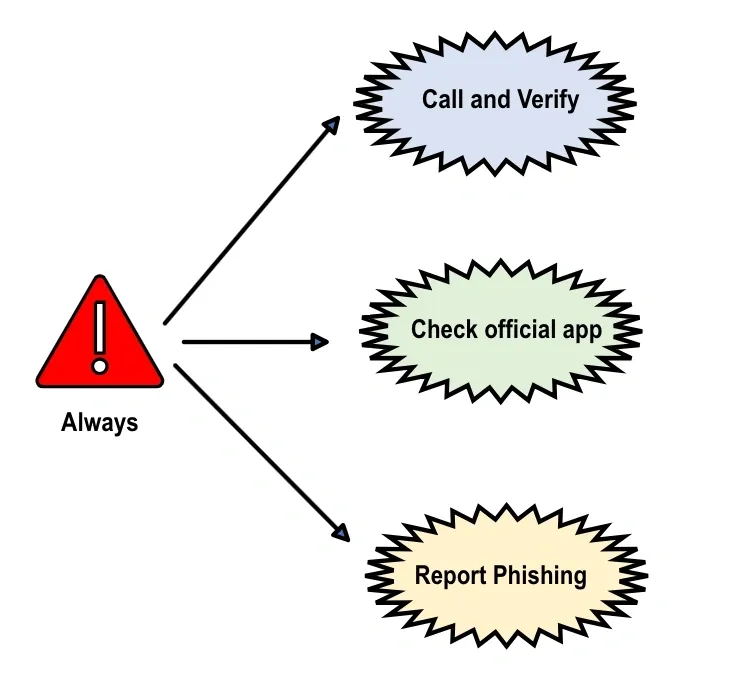
Call and Verify: If you receive an email that raises suspicion, especially from someone within your organization or a familiar contact, the first step is to call and verify. Taking this proactive measure ensures that you confirm the legitimacy of the sender before opening any attachments or clicking on links. Cybercriminals have become adept at impersonating colleagues or friends, making business email compromise a prevalent threat. Utilizing the call and verify approach is a crucial step in mitigating such risks.
Report Phishing: When you encounter an email that pushes for urgent actions, like clicking a link or divulging sensitive information, reporting the phishing attempt is essential. For Gmail users, reporting is a breez click on the three vertical dots on the right side of your mailbox, select the “report phishing” option from the drop-down menu, and report the sender. Alternatively, you can forward phishing emails to report@phishing.gov.uk or send a screenshot to this official email address designated for reporting scam emails to the National Cyber Security Centre.
Check Official App: Many of us receive emails from trusted organizations, such as banks or streaming services, prompting us to disclose sensitive information. To ensure the authenticity of such emails, it’s advisable to either make a phone call to verify or, if phone lines are busy, check the official app associated with the organization. This simple step adds an extra layer of confirmation before taking any actions prompted by the email.
Remember, phishing attacks are constantly evolving, but with these straightforward techniques, you can fortify your defenses and navigate the digital landscape with confidence. By incorporating the CRC method into your routine, you empower yourself to respond effectively to phishing attempts and contribute to a safer online environment.
Hi, this is a comment.
To get started with moderating, editing, and deleting comments, please visit the Comments screen in the dashboard.
Commenter avatars come from Gravatar.